Keep every
promise.
For days full of meetings and people. Say what you owe someone the way you’d say it. MyRecall puts it next to your meetings, shows when you’re free, and brings it all to you each morning.
7 days of Pro, free. No card needed. On iPhone? Siri’s built in. Join the TestFlight beta.

Three steps.
Then it runs itself.
- 1
Say it.
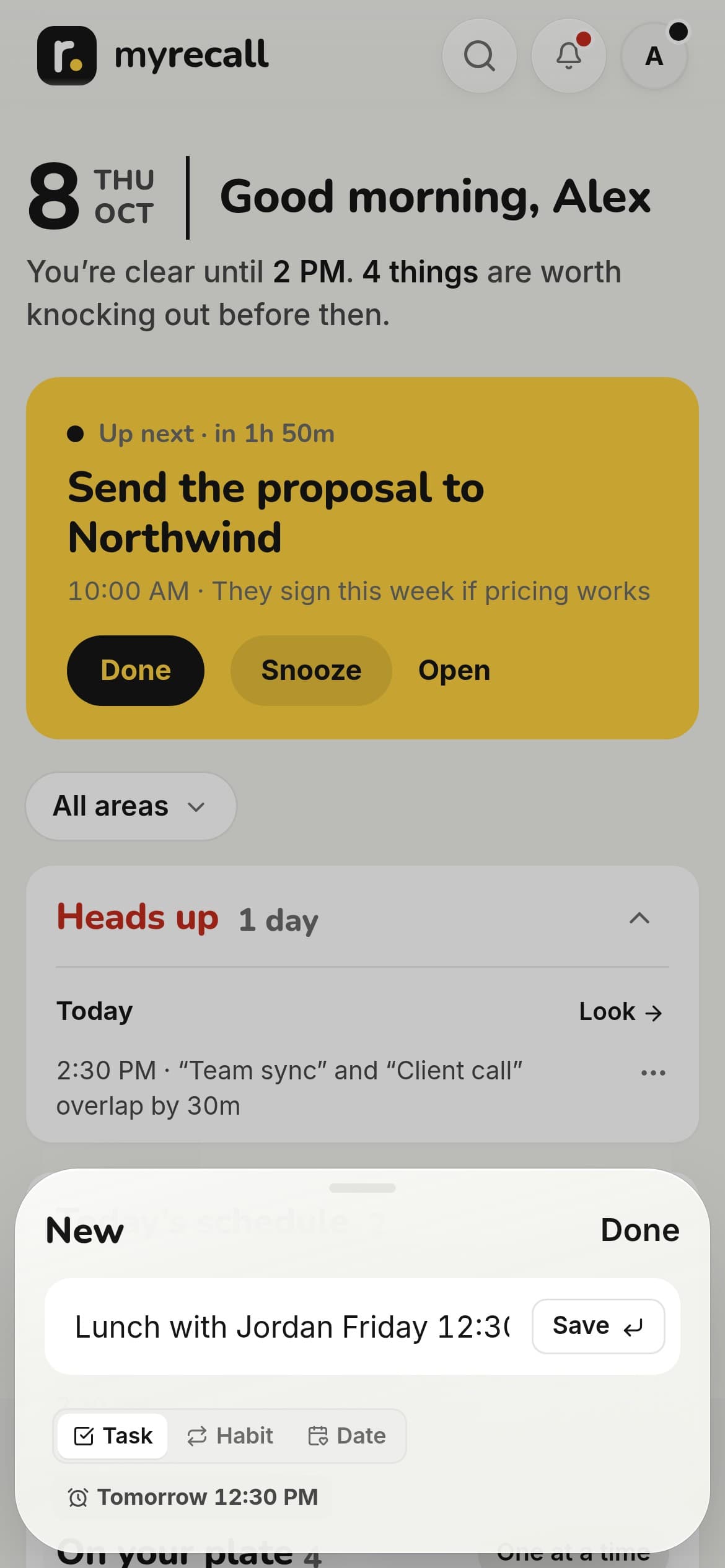
Type it the way you’d say it, or tell Siri or your AI assistant. MyRecall picks out the day, the time, the place and who it’s for.
- 2
It lands on the right day.
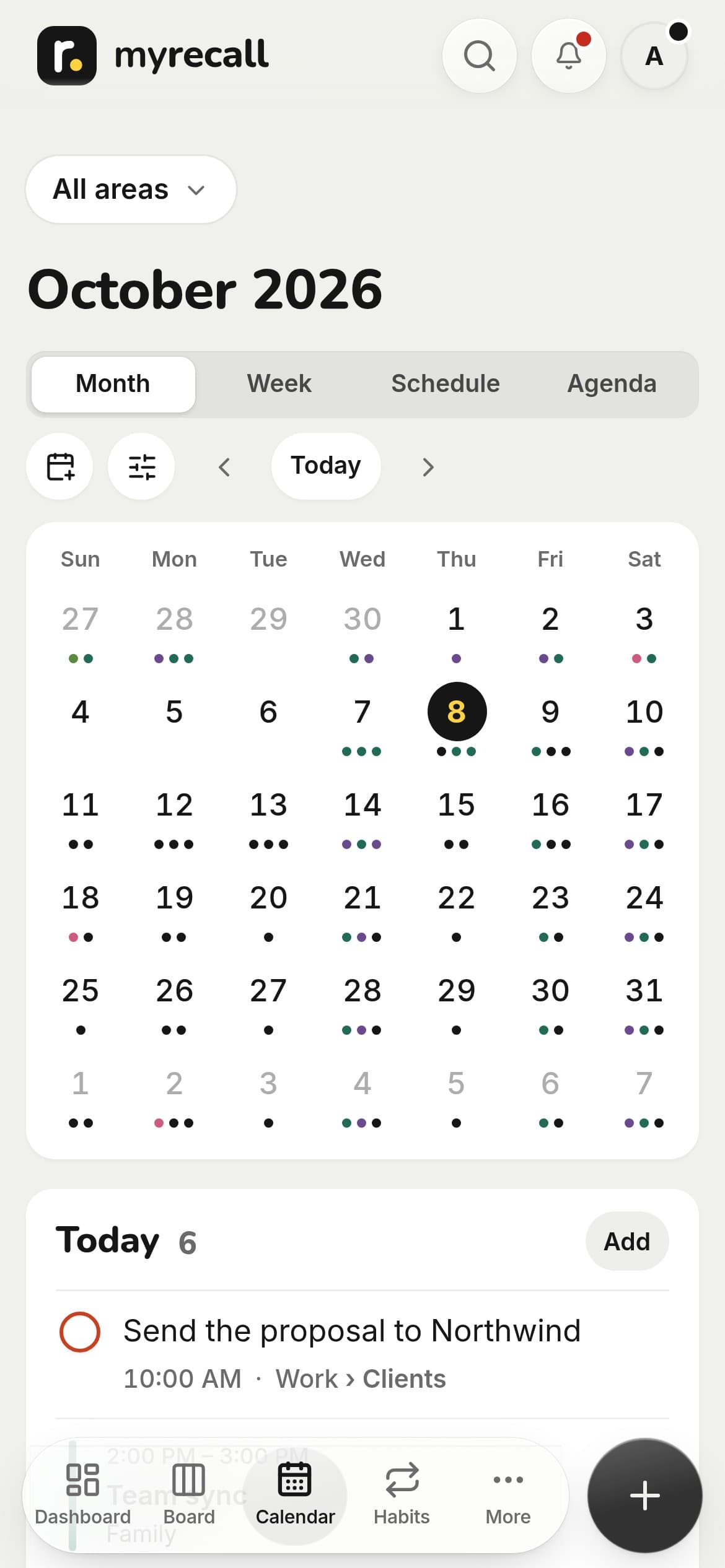
Next to your meetings from Google, Outlook or Apple Calendar, with a heads-up when a day is overbooked.
- 3
Your day comes to you.
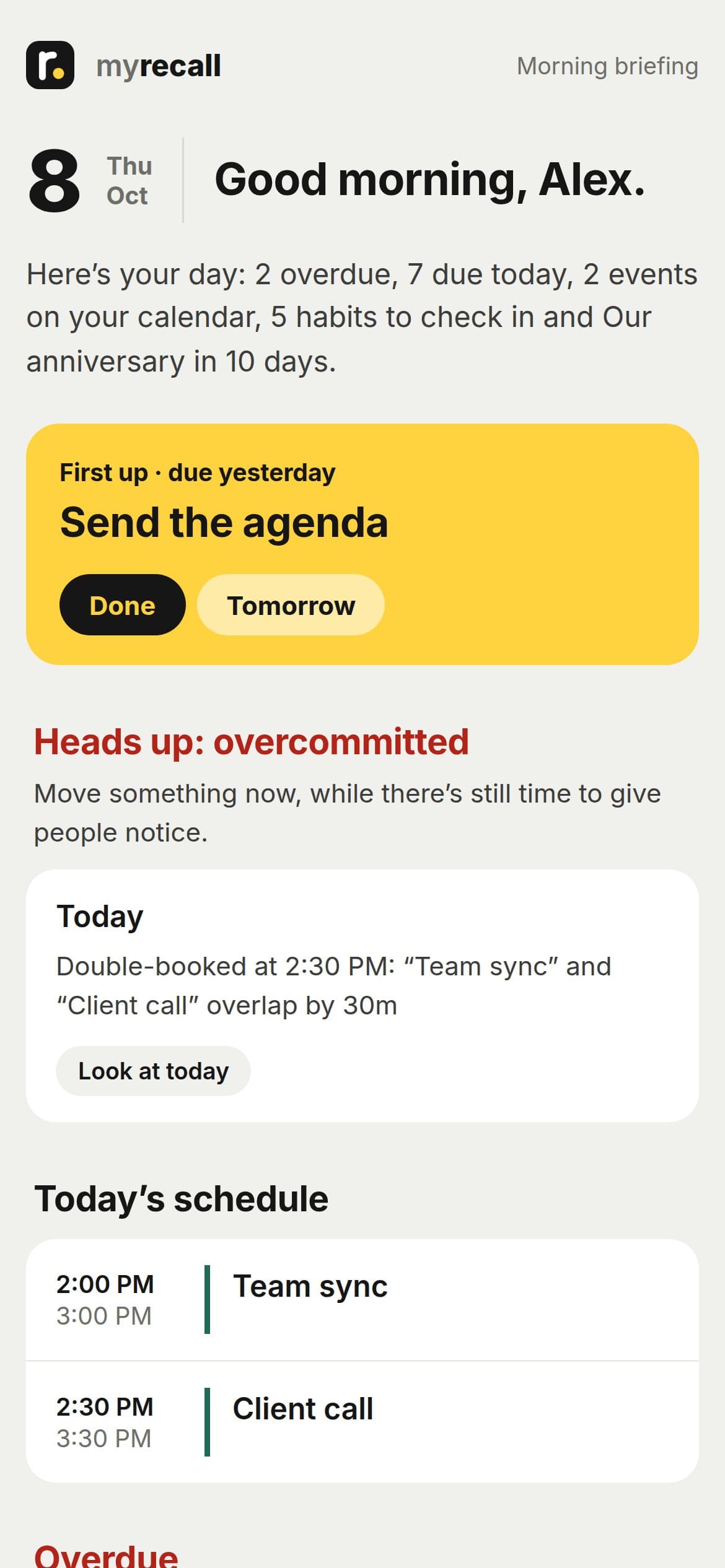
Each morning, the plan in your inbox. Check things off or move them to tomorrow right from the email.


“When are you free?” Answered before they finish asking.
Type it where you add tasks, or say it to Siri. Your open times show up around your meetings. Copy them into a text, or share a link they pick from, and it’s on your calendar. “What’s on tomorrow?” works too.

Tell Claude or ChatGPT. It lands in MyRecall.
Connect your assistant once, in about a minute. Then “remind me to send Dana the deck Friday at 10” lands on the right day with a reminder, and “what’s due today?” or “when am I free tomorrow?” get answered from your calendar and tasks.
Remind me to send Dana the deck Friday at 10
Added to MyRecallDone. “Send Dana the deck” is on Friday at 10:00 AM, with a reminder.
And when am I free tomorrow afternoon?
You’re free 1–2:30 PM and after 4 PM. Want me to hold one?
“Hey Siri, add to MyRecall.”
Siri is built right into the iPhone app. Say it from the lock screen, in the car or with AirPods, and it lands on the right day with a reminder. “Hey Siri, ask MyRecall” reads back what’s on tomorrow, or when you’re free. No Shortcuts to build, nothing to set up.
“Hey Siri, add to MyRecall”
What should I add?
“Call Dana Friday at 2”
Follow up with people, not just tasks.
Say who matters and how often you want to talk. MyRecall tells you when it’s been too long, and before a meeting shows what’s open with everyone in it. Birthdays and anniversaries count down, with a reminder ahead.

Your meetings and your to-dos, on one timeline.
See where the free time is, and let Fit my day find a slot for everything without a time. Double-booked? You hear about it the day before, while there’s still time to give people notice.

The one email you’ll be glad to open.
What’s due, what slipped, your meetings and free time, the birthdays coming up and who you’re due to call. Short enough to read before coffee. Done, Tomorrow and Next week work right from the email.
And at night, an evening wrap-up: what you got done, and one tap to clear the rest to tomorrow.
And the rest of what a busy day needs.
- Share → MyRecallShare a page, email or message from any app on your iPhone, and it lands in MyRecall.
- Forward an emailIt becomes a follow-up, dated from the subject. Meeting notes become action items.
- Share an area, freeRun the house with your partner, or a project with a coworker.
- Work and personalKeep them apart, each with its own lists, or add your own areas.
- Evening wrap-upWhat you got done, and one tap to move the rest to tomorrow.
- Leave-by alerts and errandsDrive times from where your day starts, and nearby stops grouped.
- Your plan in your calendarTimed tasks show up in Google, Outlook or Apple Calendar.
- Photos and filesA receipt, a whiteboard, a PDF, on the task it belongs to.
- Works offlineWhat you add without a signal saves when you’re back.
- Bring your listImport from TickTick, Todoist or Apple Reminders, or paste one.
- Search everythingFind any task by what it says or why you saved it.
Your notebook stays yours.
- Never sold, no adsUsed only to run MyRecall for you. No ads, and no training AI models on your notes.
- Calendars are read-onlyMyRecall shows your day; it never adds, moves or deletes an event.
- Only the contacts you pickNothing is copied in bulk; just the people you choose to add.
- Payments by StripeYour card never reaches MyRecall. Cancel anytime.
- Private by defaultEncrypted in transit, and visible only to you and who you share an area with.
- Yours to take or deleteDownload everything in one tap, or delete your account in the app.
The details are in our privacy policy. Questions? hello@myrecall.me
Simple pricing.
Every account starts with 7 days of Pro, free. No card needed.
Free
$0
Capture and remember.
- Capture the way you’d say it
- Reminders, repeats and snooze
- Board, Calendar and your meetings
- Free time, shared as a link
- Important dates and birthdays
- Share areas with anyone
Pro
$5.99 a month
or $49.99 a year. Your day, brought to you.
- Everything in Free
- Morning email
- Plan the week
- People
- Templates
Founding member
- Everything in Pro
- $29.99 a year for as long as you stay
- A say in what we build next
Until the iPhone app launches. Create your account, then join from the account menu.
Secure checkout by Stripe · Cancel anytime

I’m a founder, and I live in scorecards, weekly meetings, and quarterly plans. I could keep a business pointed in the right direction and still forget to call a customer back or miss a birthday, because every app I used waited for me to open it.
So I built one that comes to me: a morning email with my day, and a nudge when it’s been too long since I talked to someone who matters. It’s version one, built in weeks, and I’d rather say that plainly than pretend it’s finished.
Justin, Founder · Read the whole story
Start today. Free.
Enter your email and the code we send, and you’re in. The first 7 days include everything in Pro.
Get started freeWe never sell your data. Your calendars are read-only and we never change an event.